Before you can improve your email deliverability, you need a way to accurately measure it. There is no single dashboard metric that tells the whole story — instead, strong programs combine several methods and tools to measure deliverability and reputation over time.
Common approaches include:
- Inbox placement tests
- Delivery rates (with the right interpretation)
- DMARC reports
- Postmaster reports (e.g. Gmail)
- Relative inbox open rates by provider
- SenderScore and similar reputation signals
- Content spam detectors (pre-send)
Inbox placement tests
One of the best ways to measure how your mail is actually landing is inbox placement testing— either run manually or with automated services. In essence, the workflow is:
- Create a seedlist of email addresses. This is a controlled set of inboxes across providers (Gmail, Yahoo, AOL, etc.). Seedlists can range from dozens to hundreds of addresses.
- Send a live message to the seedlist. Use a real production send, not a preview: preview sends often use different infrastructure and can misrepresent placement. Ideally, include seed addresses as part of a normal campaign to subscribers so results match real-world conditions.
- Analyze where each message landed — inbox, spam, or missing — and roll up results by domain. That gives you a clear picture of placement percentages per provider.
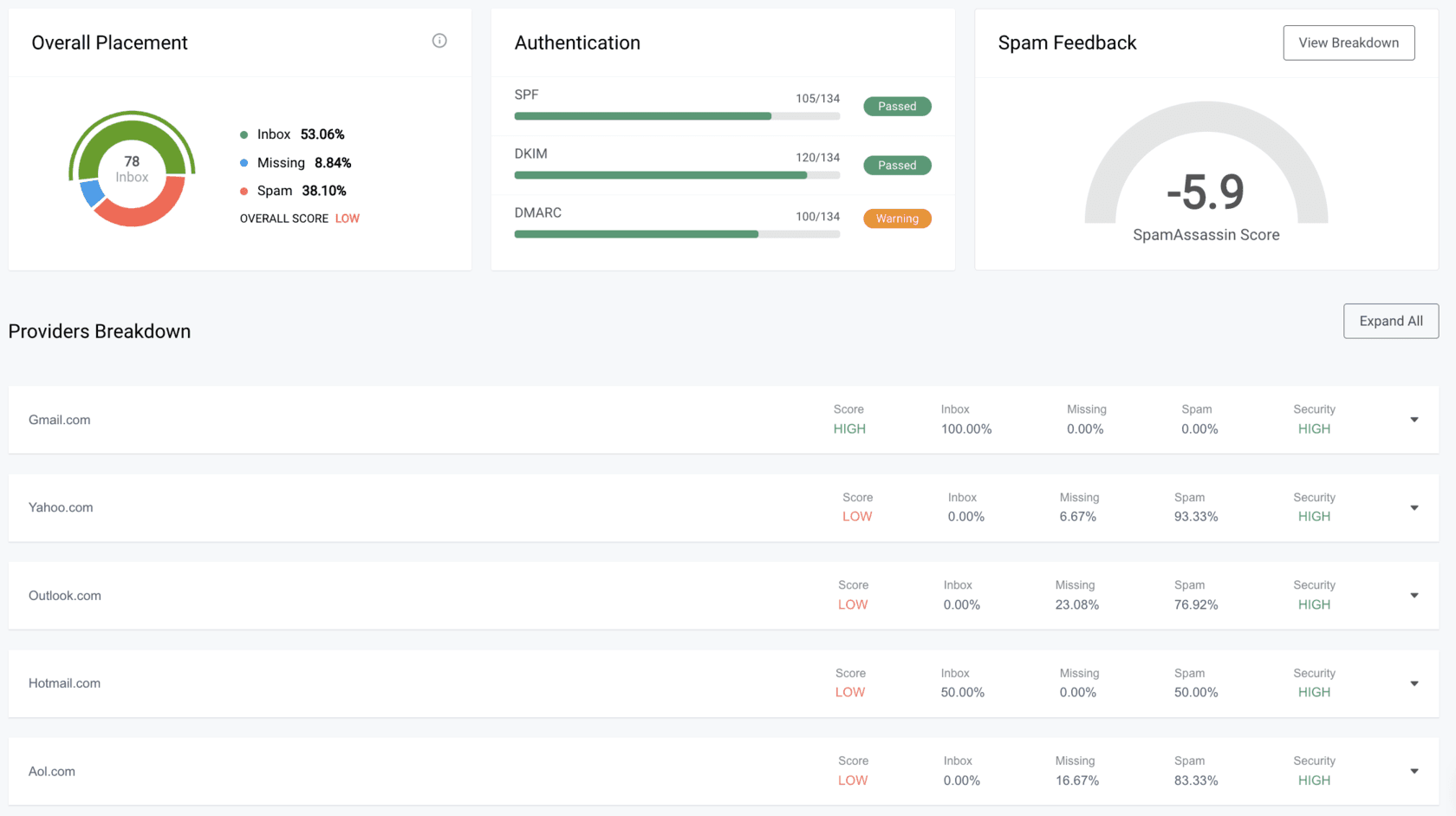
Placement tests are among the more accurate ways to measure inboxing, but they are not perfect. Seed addresses typically do not open, click, or engage. Because many providers weight past user behavior, seed-only results can sometimes differ from what engaged subscribers see. Use placement tests as a strong signal — especially when you change domains, IPs, or volume — not as the only truth.
Delivery rates
Most ESPs show an email delivery rate. The name is misleading: it is not the percentage of mail that reached the inbox. It is usually calculated as non-bouncing sends divided by total sends. Bounces are rejections (invalid address, full mailbox, server issues, etc.).
Because bounces are often a small fraction of volume, delivery rates often look very high (often 95–99%). That does not mean 95–99% inbox placement — a large share could still land in spam. Delivery rate does not tell you where the message landed.
Still, delivery rate is useful when it is abnormally low: that usually means a real infrastructure or list-quality problem worth investigating immediately.

DMARC reports
Every sender should have a proper DMARC policy. Beyond policy enforcement, DMARC generates aggregate reports that show SPF and DKIM pass/fail across sending sources and IPs. Reviewing those reports on a cadence helps you catch authentication drift, unauthorized senders, and alignment issues before they hurt reputation. For a deeper dive on tags and setup, see our DMARC record guide.
Postmaster reports
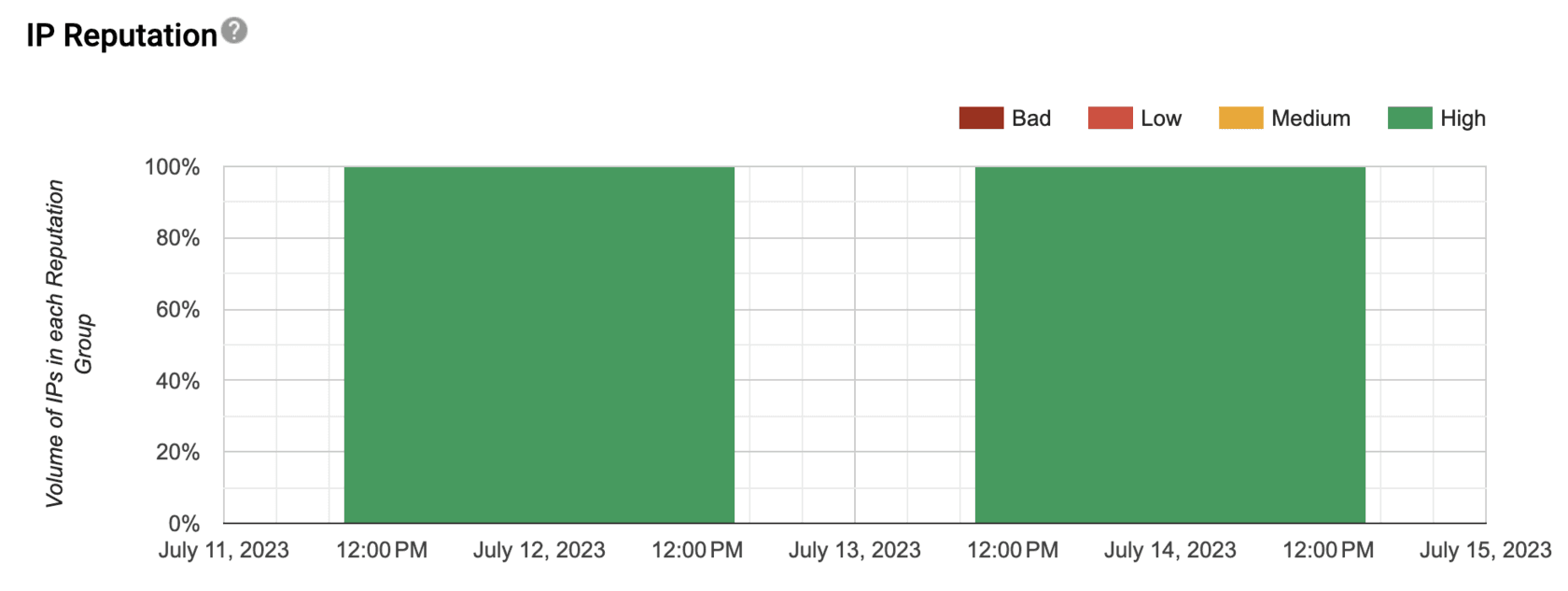
Providers such as Gmail offer Postmaster Tools: verified domains can surface sender reputation, domain health, volume, and spam complaint feedback. This adds another layer to your measurement stack. Note that smaller senders may see little or no data until volume crosses minimum thresholds.
Relative inbox open rates
A rough, indirect check is to compare open rates by inbox provider in your campaign reports. This method is imperfect — Apple Mail Privacy and similar features skew opens — but big gaps between providers can flag deliverability issues worth investigating.
For example, you might see something like:
| Inbox | Open rate |
|---|---|
| All | 31.2% |
| Gmail | 32.5% |
| Apple | 47.0% |
| Yahoo | 12.2% |
| AOL | 7.6% |
Here, Gmail might look close to your overall average, while Apple looks inflated (privacy). Yahoo and AOL far below average could indicate placement or engagement issues for those domains — always cross-check list size per domain so small segments do not over-influence the story.
SenderScore
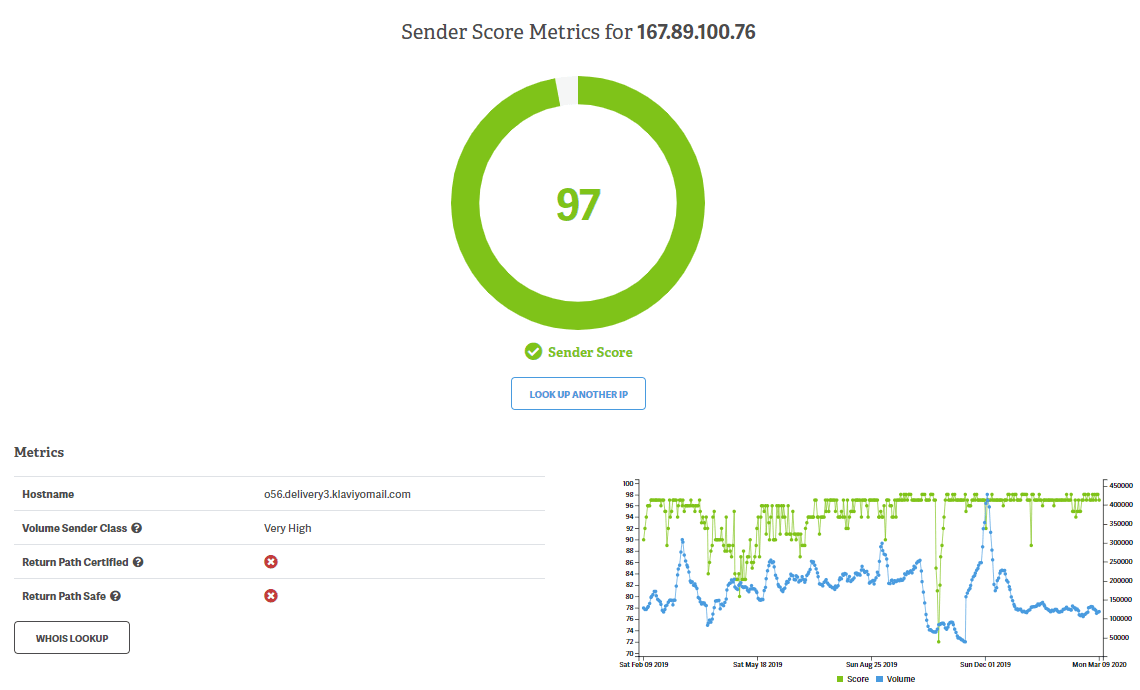
Third-party tools can add reputation context. For example, Validity Sender Score (and similar services) score sending IPs. Scores are evaluated at the IP level; if you send from a shared pool, run the relevant IPs through the tool to understand the distribution — not just a single number.
Content spam detectors
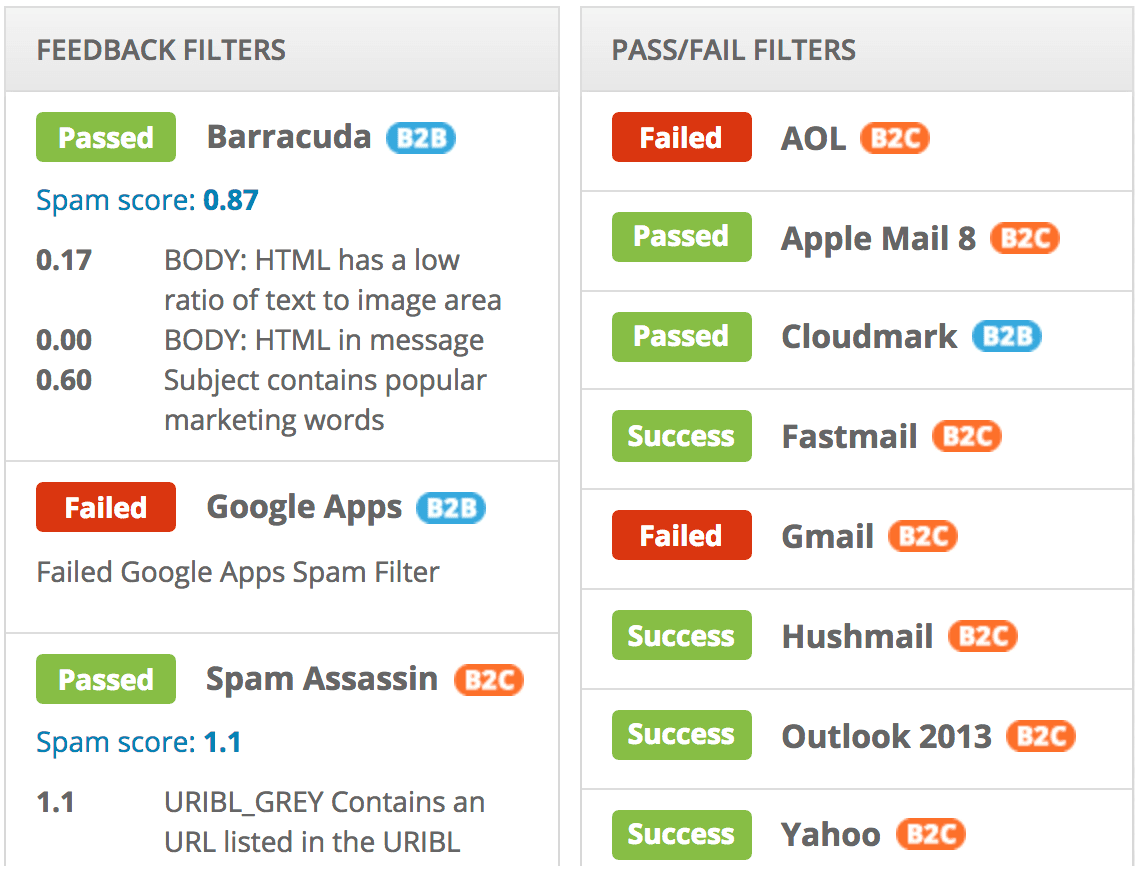
Before send, you can run creative through spam / content checkers to catch triggers that might affect filtering. Tools such as Email on Acid, Litmus, or similar preflight flows can flag issues aligned with filters like SpamAssassin or Barracuda so you can adjust copy, links, and markup before the message leaves your ESP.
Summary
Measuring deliverability is the prerequisite to improving it. Once you have a baseline across placement, authentication, reputation, and content, you can prioritize fixes — authentication and list hygiene first, then content and cadence — and monitor whether changes move the right numbers.
If you want help auditing, troubleshooting, and monitoring deliverability end to end, our team offers a Deliverability Recovery program built for eCommerce senders. You can also book a call to discuss your current setup.